


 60% OFF

In today’s fast-paced digital world, sharing a website link often calls for simplicity - and a QR code for website is the perfect solution. Whether you want to direct customers from a physical flyer to your online store, or let event attendees quickly access your registration page, knowing how to get a QR code for a website saves time and boosts engagement.
This guide breaks down everything you need to know: from choosing the right website qr code generator to customizing your code, ensuring it works seamlessly, and avoiding common mistakes.
Part 1. Why you need a QR Code for Website
Before diving into how to get a QR code for a website, let’s first understand why a website qr code is worth creating. A qr code for website bridges the gap between physical and digital spaces, letting users scan a code with their phone’s camera to instantly open your site.
Key Use Cases for Website QR Code
- Marketing Materials
- Events & Conferences
- Product Packaging
- Retail & In-Store Signage
In every case, a website qr code simplifies access to your site and the easier it is for users to reach your website, the higher your engagement and conversion rates.
Part 2. Step-by-Step: How to Get a QR Code for a Website
Getting a qr code for website is straightforward, even if you’re not tech-savvy. The process involves choosing a reliable website qr code generator, inputting your website URL, customizing the code (optional), and downloading it.
MAKEAQRCODE Generator is the best tool to help you quickly generate website QR codes. Why MAKEAQRCODE? It’s user-friendly and creates high-resolution website qr code that works on all devices.
- · Support for multiple QR code types
- · Highly customizable QR codes with easy preview switching
- · Quickly generate high-quality QR codes
- · Extensive templates for diverse application scenarios

Below is a detailed, easy-to-follow guide to help you create qr code for website in 3 simple steps with MAKEAQRCODE Generator.
Step 1. Input Your Website URL
Enter the MAKEAQRCODE Generator and select URL as the QR code generation type. The next is to enter your website URL. This is the most important part of how to get a qr code for website - a wrong URL means your qr code for website will direct users to the wrong page, wasting your efforts.
Step 2. Customize Website QR Code
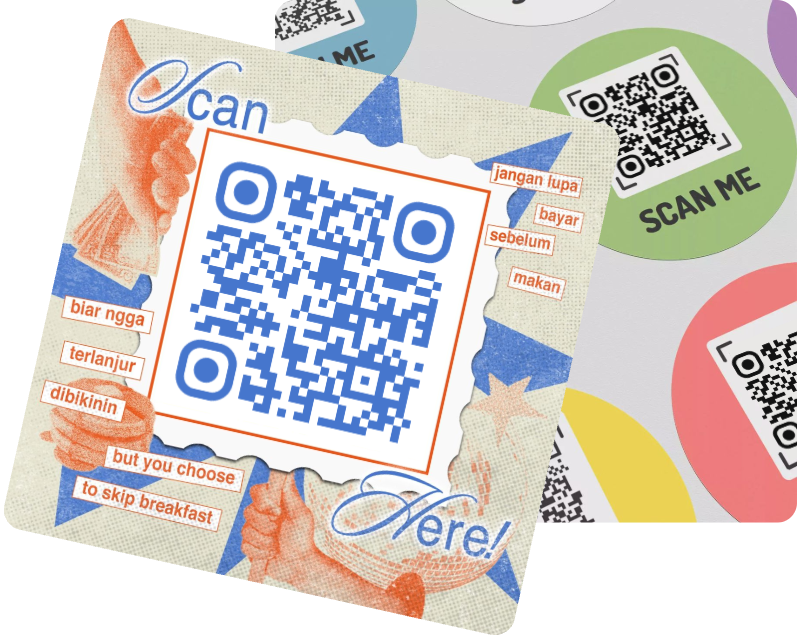
Customizing your qr code for website helps it stand out and align with your brand and most website qr code generator tools make this easy. While customization is optional, it’s a great way to make your qr code for website more recognizable (and less like a generic black-and-white square).
Step 3. Generate & Download QR Code for Website
After inputting your URL and customizing (if desired), it’s time to generate qr code for website. This step is quick - MAKEAQRCODE website qr code generator take just a few seconds to create the code.
Preview the code to make sure it looks correct. Check for any blurriness or missing modules—if something looks off, go back and adjust your settings (e.g., fix the URL, tweak colors).
Part 3. FAQs about getting a QR Code for a Website
Q1: Is it free to get a QR code for a website?
Most website qr code generator tools let you create qr code for website for free. Free plans typically include high-resolution codes, error correction, and basic customization. You only need to pay if you want advanced features like dynamic codes (which let you change the URL later) or analytics (to track how many people scan the code).
Q2: How long does it take to make a qr code for a website?
It takes just 2-5 minutes to make a qr code for a website. The process is: choose a generator, input your URL, customize (optional), generate, download, and test. If you’re using a tool like MAKEAQRCODE, you can have a functional qr code for website in under 2 minutes.
Q3: Will my website QR code work on all phones?
Yes, most modern smartphones (iPhones running iOS 11+, Androids running Android 8+) have built-in QR code scanning in their camera apps. Users don’t need to download a separate app to scan your qr code for website.
Q4: Can I use the same QR code for website on multiple materials?
Absolutely! Once you generate qr code for website, you can use the QR on flyers, business cards, posters, social media... as long as the URL doesn’t change.
Q5: What if my website QR code doesn’t scan?
If you can't scan the qr code for website, troubleshoot these common issues:
- Blurry code: Download a higher-resolution version from your website qr code generator.
- Low contrast: Change the code’s colors to a high-contrast combination.
- Wrong URL: Double-check the URL in the generator and re-create qr code for website if needed.
Part 6. Conclusion
Knowing how to get a qr code for a website is a valuable skill for businesses, marketers, and anyone looking to simplify website access. A qr code for website turns physical materials into direct links to your site, boosting engagement and saving users time. What’s more important is to choose a simple and useful QR code generator like MAKEAQRCODE Generator.
Register Now to get up to 60% OFF
Quickly generate QR code with multiple types, styles, and templates




 Dynamic QR codes — edit the link anytime