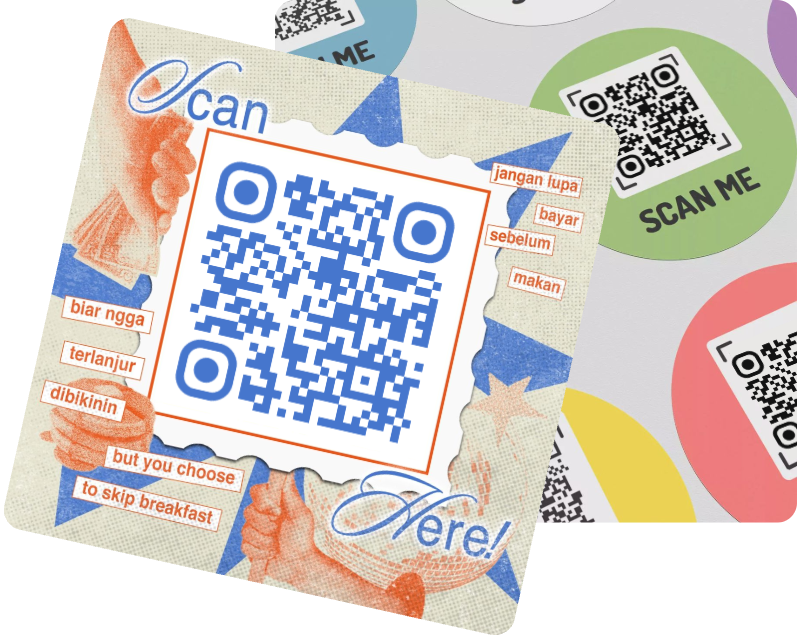
QR Code on Poster

Make your posters more interactive, measurable and action-driven, all you need is to create a poster with qr code. Whether it's a shop window, a classroom, an activity hall, or a billboard on the street, projects with QR codes make it easier for people to scan, explore, and interact instantly.
Benefits
Creation
Use Cases
FAQ

Why Need to Put QR Code on Poster

QR Code on Flyer
Real-time Interaction
Placing QR codes on posters allows potential users to directly scan qr code poster and access its contents, including websites, videos, menus, forms, and more.
Data Tracking
Traditional posters only achieve marketing results and expand brand awareness, but lack data to support whether the marketing campaign has a positive impact.
QR code posters, especially those with dynamic QR codes, are different. They can collect user scanning data, tracking the number of users scanning QR code posters placed in different locations, providing you with the most intuitive data support.
Increase User Interaction
Supplement Content & Promote Information
Space Saving with Rich Content
Poster size is always limited, preventing the inclusion of unlimited content or multimedia videos and audio. QR code on poster solve this problem, supplementing content that cannot be displayed on posters: website, documents, videos, audio... This maintains a clean poster design while adding digital information.
Cost-Free Updates
Another advantage of using dynamic QR code on poster is the ability to update them anytime, anywhere. Simply modify the content within the original QR code to update the content of all QR codes you post globally. There's no need to spend time, effort, or costs reprinting and posting posters.
Tracking Data & Visualizing Revenue

How to Create a QR Code for Poster

1. Select Poster QR Code Type
After entering MAKEAQRCODE Generator, select the type of QR code you want to generate based on your needs.
2. Fill in QR Code Content
Enter the information to be included in the QR code, such as: text, link, image, video, etc.
3. Customize Poster QR Code
Customize the style of QR code on poster by choosing different colors, shapes, etc. Finally, click the Create button.

Explore More about QR code on Poster

QR codes on posters are actually quite common, various industries include QR Codes on posters. Here are some examples of their practical use:
1. Poster QR code for event/exhibition
Promotional posters for events often include a QR code. This code helps attendees view schedules, staff introductions, maps, tickets, or registration information.
2. Poster with QR Code in shops
Shops often display promotional posters. Scanning the QR code on these posters provides information on discounted products and participating items.
3. Real estate poster QR Code
Scan qr code poster on real estate provides detailed information about properties, allows users to schedule viewings, and provides details on location, environment, etc.

FAQs

1. How big should a qr code be on a poster?

Generally, the QR code size should be 1 inch per 10 feet of viewing distance. However, the specific size can be adjusted according to your needs.

2. How to put qr code on poster?

First, you need a QR code on poster and a designed poster. Then, use an editing tool like Canva to place the QR code on the poster, and finally export the poster with QR code.

3. How to scan qr code from poster?

Scan QR code poster directly with the camera app on your phone, or download a QR code scanner.

4. How to use qr code on poster?

Taking advantage of the convenience of QR codes, you can directly add any additional content you want: text, images, videos, or links, to the QR code on poster.

5. Is there any qr code poster template free?

Of course, MAKEAQRCODE Generator not only offers rich customization options for QR codes but also provides various QR code scanning samples.