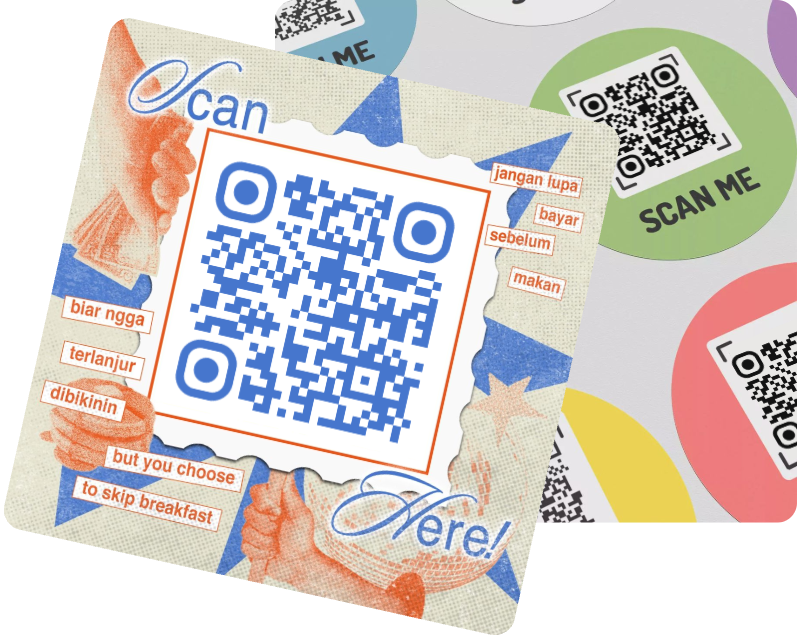
QR Code on Flyers

Want to quickly promote a special event or see how it's performing? A QR code on flyer is the perfect marketing way. The QR Code on back of flyer, or on the front, can expand content and increase customer engagement.
Benefits
Creation
Use Caes
FAQ

Benefits for Flyer with QR Code

QR Code on Flyer
Increase User Interaction
Flyers remain an essential method for event promotion, but flyer with QR code adds a new dimension to traditional promotion. Consumers can scan the QR code on flyer with their smart devices. Although the paper flyer is discarded, the scanned page will be saved on their phone.
Supplement Content & Promote Information
Paper flyers have limited space for content, but QR codes address this limitation. Using only a small portion of the flyer, you can include more information than the entire flyer - not just text, but also multimedia like videos and images.
Instead of creating a cluttered flyer, simply list key points and make a QR code for a flyer. This reduces printing costs and creates a more engaging flyer.
Increase User Interaction
Supplement Content & Promote Information
Tracking Data & Visualizing Revenue
If you're promoting an event, what's the point of a QR code if you don't know the results, especially for survey flyer with QR code? Adding dynamic QR code to flyers allows you to instantly track scan data, making it easier to track overall marketing effectiveness and make timely adjustments. Dynamic QR code can also be updated at any time, eliminating the need to reprint flyers with QR codes.
Good Design Attracts Attention
Use a digital flyer creator that's tailored to your needs. You can choose from a QR code flyer template or design your own.
MAKEAQRCODE Generator allows you to highly customize your QR code on flyer, modifying its color, shape, and theme, and even uploading your own logo image, making it more tailored to your brand and eye-catching.
Tracking Data & Visualizing Revenue

How to Make A QR Code for A Flyer

1. Choose QR Code flyer generator
Enter the MAKEAQRCODE Generator and select the type of QR code you want to create.
2. Enter info needed
Fill in the required information based on the QR code type you selected for the flyer.
3. Create QR Code flyer
Design the QR code and click Create to generate a QR code on flyer in seconds.

Explore More about QR codes on Flyer

Let's illustrate the practical benefits of using QR code on flyer by looking at real-life examples of flyer types that actually use them:
1.Donation Flyer with QR Code
Donation flyer with QR code significantly increases charitable income and boost participation in public welfare activities.
2.Survey Flyer with QR Code
Survey flyer with QR code not only makes it easier to complete (no longer requiring paper and pen, or the time it takes to sit down and fill out a questionnaire), but also allow customers to complete the survey on their smart devices at any moment, often with just a few clicks.
3.Business Flyer with QR Code
Business flyer with QR Code for commercial event not only significantly increases scanning and participation rates, but also allows dynamic QR code to track and collect data on QR code scans, providing a powerful basis for business decision-making and adjustments.

FAQs

1.How to put cash app QR Code on flyer?

Open the Cash App, tap your profile, and select QR code. Then, import the QR code to your flyer and print the flyer with QR code.

2.How to add Venmo QR Code to flyer?

Open Venmo App and access your profile. Tap Share to download your QR code. Finally, import the QR code into your digital flyer creator.

3.How big should a QR Code be on a flyer?

There no maximum size requirement for QR codes, your flyer can be a QR code. However, under no circumstances should a QR code be smaller than 0.6 x 0.6 inches. The most recommended size is 1 x 1 inch, which is the typical size for QR code on flyer.

4.Who puts QR Code on flyer?

As a marketing method, flyers are a great option for anyone looking to gain user feedback and build ongoing marketing campaigns.

5. Can the QR code on a flyer lead users to my website?

Of course, a QR code on flyer can not only lead users to your website, but also allow them to view multimedia content such as videos and images. However, the prerequisite is that your QR code is attractive enough for users to scan.